Retrieving Files from memory dump.
That’s gonna short but i think you will enjoy it.
That’s gonna be short, but I think you’ll enjoy it. 😜
One of my friends stumbled upon a CTF challenge where he needed to retrieve a .rar file from a memory dump. After some research, I came up with the following solution:
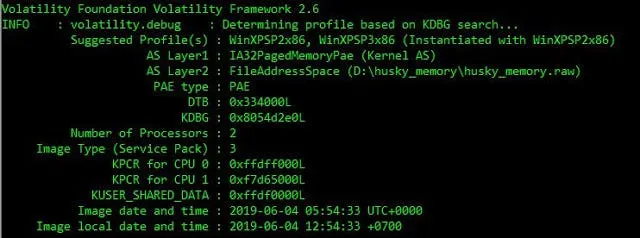
1. Image info from Volatility
First and most obvious step for any Volatility analysis is to check image info of the given file.
./vol.py –f
2. File Scan
Next, I’ll perform a filescan to check all file entries in the memory. For simplicity, I’ll use grep to filter the output for .jpg files—time to retrieve some funky images (hopefully, it’s not +18 content, LOL).
3. Analyze the Output
Take a look at the output screen: Volatility conveniently provides the Offset, which reduces half of our work moving forward.
4. Select the Offset
I’ve chosen the offset address 23bb688.
5. Dump the Content
In the next step, we’ll dump the content at this offset location to disk using Volatility’s dumpfiles utility

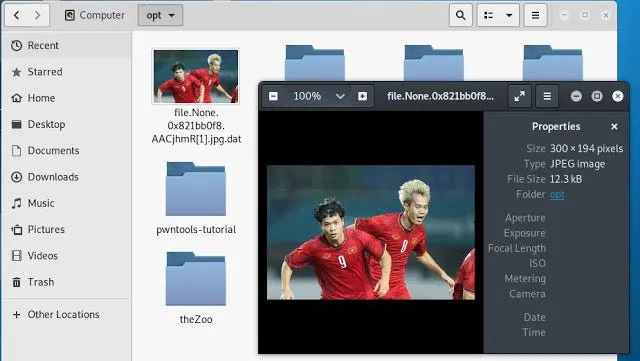
6. I have dumped this file in /opt/ folder, by checking the content of /opt/ folder we can see a file with .jpg.dat extension.

7. Boom!!! We got an image in the /opt/ folder. Unfortunately, it’s not funky at all. 😅 Anyway, we accomplished our objective! 🎉
Real CTF problem.
Although we learned how to extract or retrieve an image from memory, we noticed that it wasn’t in the proper format. In the CTF challenge, the goal was to recover a .rar file. The main challenge was to format it correctly. I came up with the following possible solutions to address this issue
Using “xdd” command

- I dumped the
.zipfile using the above method, which resulted in a.datextension. - Next, I converted it into a
.rarfile using the following command: - < <file_name> -xxd -p -c1 | tac | xxd -p -r > file.rar

4. The file.rar is now created in the folder. By executing the following command, we retrieve the flag.txt in the same folder, which reveals the flag.
Originally published on Medium.